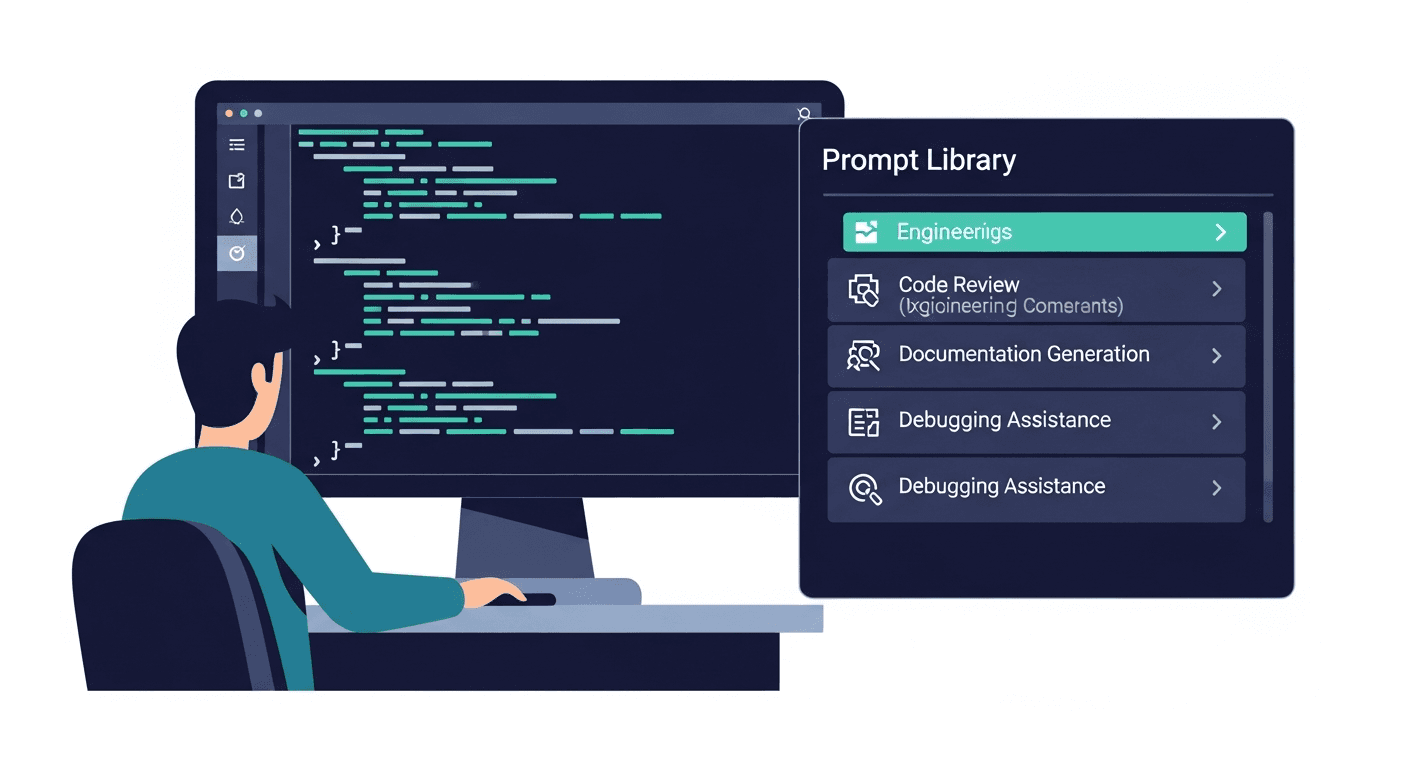
Every developer on your team is using AI every day. GitHub Copilot for inline completions. Claude or ChatGPT for code review, debugging, and generating test cases. Cursor for whole-file edits. The tools are everywhere and the usage is real.
The problem is not adoption. The problem is that every engineer has a slightly different version of "the prompt that works" - and none of them are in the same place. Your senior engineer has a brilliant architecture review prompt sitting in a scratch file in VS Code. Your lead discovered a stack trace interpretation prompt in a Slack thread from eight months ago. Your newest hire is starting from scratch with "review this code for bugs."
The good prompts get discovered. Then they get lost. Then they get rediscovered. Meanwhile, teams building LLM features face an even harder version of the same problem: system prompts living in environment variables, changing informally, with no version history, no review process, and no way to trace a production regression to a specific prompt change.
This guide covers both problems and how engineering teams solve them.
Two Categories of Developer Prompts (And Why They Require Different Systems)
The first step is distinguishing between two fundamentally different categories of prompts that developers manage. Conflating them leads to the wrong solution for both.
Operational Prompts: Your Team's AI Workflow
Operational prompts are the prompts developers use in their daily work. They are not shipped in any product - they are the instructions that help engineers do their jobs faster and with more consistent output.
Examples:
- A code review prompt that checks for security vulnerabilities in Python
- A debugging prompt that interprets stack traces and suggests root causes
- A documentation prompt that generates a README from a repository structure
- A PR description prompt that summarizes what changed and why
- A test generation prompt that produces unit tests for a given function
These prompts belong in a shared team library. The goal is that when one engineer finds the version of the prompt that actually produces useful code review output, every engineer immediately has access to that prompt instead of each independently converging on a worse version over months.
Product Prompts: System Prompts in Production
Product prompts (or system prompts) are the prompts embedded in software being built. If your team is building an LLM feature - a coding assistant, a documentation generator, a classification pipeline, a RAG (retrieval-augmented generation) system - then you have prompts that are part of your product's behavior.
These prompts need something different from a shared library. They need:
- Version control (who changed what, when, and why)
- Review processes (prompt changes reviewed like code changes)
- Deployment workflows (staging before production)
- Regression detection (catching when a prompt change degrades output quality)
When a system prompt changes in production without a proper deployment record, and the model's behavior changes three days later, you have no audit trail. This is the developer equivalent of deploying code without Git.
The two categories require different tooling, but both benefit from the same underlying discipline: treat prompts as first-class assets, not as disposable one-off text.
Developer Use Cases That Most Benefit from Shared Prompts
For operational prompts, these are the use cases with the highest frequency and the most variance in quality across team members.
Code Review
Code review is where prompt quality variance has the most visible impact. One engineer's "review this PR" produces a three-line summary. Another's produces a structured analysis covering architecture decisions, edge cases, security concerns, and test coverage gaps.
A shared library of code review prompts lets the team converge on the versions that produce actionable feedback rather than generic comments. Useful variations include architecture review prompts, security-focused review prompts (especially important for authentication flows, input validation, and data handling), and general PR feedback prompts calibrated to your team's standards.
Documentation Generation
Documentation is the area where developers most consistently reach for AI - and where consistent prompt quality matters most for output usability. Prompts for README generation, API documentation from source code, and inline comment generation each benefit from being shared and refined over time.
A well-structured README prompt that knows your project's conventions will produce better documentation on first pass than any engineer improvising from scratch.
Debugging and Error Analysis
Debugging prompts are highly reusable across the team. A prompt that interprets stack traces, explains the root cause, suggests likely fixes, and identifies related code paths that might be affected - once written well, this prompt applies to every engineer's debugging session. Keeping it in a shared library means everyone benefits from the refined version, not just the engineer who wrote it.
Test Case Generation
Test generation is one of the highest-leverage AI use cases in engineering. Prompts that generate unit tests, identify edge cases for a given function, or suggest integration test scenarios vary dramatically in quality based on how well the prompt is constructed. A shared prompt template with variables for language, framework, and test type ensures consistent output across the team.
PR Description Generation
PR descriptions are written dozens of times per week across an engineering team. A shared prompt that generates a clear summary of what changed, why, and what reviewers should focus on saves time and produces descriptions that are actually useful for code review. The prompt can be templated to include the team's PR conventions.
Commit Message Writing
Commit messages are small, frequent, and almost universally under-specified. A shared prompt that turns a diff or a short description into a conventional commit message (with scope, type, and body) reduces the entropy in your Git history without requiring manual effort from every engineer.
A Variable Template Example
Good operational prompts use variables to handle the parts that change between uses. Here is a code review prompt with explicit variables:
You are performing a {{review_focus}} code review for a {{language}} codebase.

Context:
{{pr_context}}

Code to review:
{{code}}

Provide your review in this structure:
1. Summary of changes (2-3 sentences)
2. Issues found (categorized by severity: critical / major / minor)
3. Specific recommendations with line references where applicable
4. Any missing test coverage

Focus especially on: {{review_focus}}. Be direct and specific. Do not praise code that does not need praise.
Variables:
{{language}}- Python, TypeScript, Go, etc.{{review_focus}}- security, architecture, performance, readability{{pr_context}}- the ticket summary, motivation, or PR description{{code}}- the diff or relevant code block
With native variable support in a prompt manager, filling these in takes seconds. Without it, engineers either leave the variables blank or personalize them inconsistently, which defeats the purpose of the shared template.
How to Structure a Developer Prompt Library
Organization by function (not by AI model or team member) is the structure that scales. Here is a starting point for an engineering team's prompt library:
Engineering Prompts/
├── Code Review/
│   ├── architecture-review
│   ├── security-review
│   └── pr-feedback-general
├── Documentation/
│   ├── readme-generation
│   ├── api-docs-from-code
│   └── inline-comment-generation
├── Debugging/
│   ├── error-analysis
│   └── stack-trace-interpretation
├── Testing/
│   ├── unit-test-generation
│   └── edge-case-identification
└── Product Prompts/
    ├── [feature-name]-system-prompt-v3
    └── classification-prompt-v2
A few structural decisions that matter:
Keep product prompts in the library too, with explicit versioning. The [feature-name]-system-prompt-v3 naming convention makes it clear these are versioned artifacts with a deployment history, not drafts. This is separate from Git-based version control for production prompts - it is the team's reference copy with context.
Tag by AI model compatibility where it matters. Some prompts are tuned specifically for Claude's instruction-following behavior, others for GPT-4's output format. Tags like best-in-claude or works-all-models help engineers pick the right prompt for their current tool without trial and error.
Keep the library small and high-quality. Thirty excellent prompts that the team actually uses beat two hundred prompts of inconsistent quality that no one trusts.
Prompt Versioning for Product Teams
When prompts are embedded in production systems, versioning is not optional. It is the difference between a debuggable system and a black box.
What breaks without prompt version control:
- A system prompt is edited in the environment variable directly. Three days later, output quality degrades. No one knows what changed.
- Two engineers both improve the same system prompt independently. One overwrites the other's changes.
- A prompt is "improved" and pushed to production. Prompt regression - where the new version performs worse on edge cases that were handled by the previous version - is only discovered after users report broken behavior.
- A model provider updates the underlying model. Output changes. The team cannot tell whether the change came from the model update or a recent prompt change because there is no changelog.
What proper prompt versioning provides:
- A complete history of every change to every system prompt, with author and timestamp
- The ability to roll back a prompt change the same way you roll back a bad code deploy
- A review process where prompt changes are evaluated against a test set before merging
- Clear separation between the version running in staging and the version in production
The strongest version control approach treats system prompts exactly like source code: stored in Git, changed via pull requests, reviewed before merge, and deployed through a CI/CD pipeline. For teams at this level, prompts live in the same repository as the code that uses them, with the same review standards applied.
For the full breakdown of how versioning works in practice, see our post on prompt versioning.
"Prompts as Code": Treating System Prompts Like Source Code
The engineering teams with the best LLM feature reliability are the ones that have adopted "prompts as code" as an explicit team norm.
What this looks like in practice:
System prompts live in version-controlled files, not environment variables. A prompt stored in an env var cannot be reviewed, diffed, or rolled back. A prompt stored in a .txt or .md file in the repository gets all of those properties for free.
Prompt changes go through pull requests. A PR for a prompt change looks just like a PR for a code change: description of what was modified and why, evidence that it performs better (test results, evaluation scores), and at least one reviewer sign-off before merge.
Evaluations run in CI. For teams with the infrastructure, automated evaluations run on every prompt change. A golden dataset of expected inputs and outputs catches regressions before they reach production. This is prompt regression testing - the same concept as unit testing, applied to LLM output quality.
Deployments are tracked. When a prompt change ships to production, it is logged with the same rigor as a code deployment. If something breaks, the on-call engineer knows exactly what changed and when.
For a broader view of how this fits into the end-to-end development process, see our prompt engineering workflow guide.
Prompt Libraries for Developer Onboarding
One of the most undervalued benefits of a well-maintained prompt library is what it does for new engineers joining the team.
A new engineer today has to learn: the codebase, the deployment process, the team conventions, the review standards, and - increasingly - the AI workflow. Without a shared prompt library, learning the AI workflow means watching senior engineers over their shoulders or inheriting prompts through Slack DMs.
A good prompt library compresses months of AI workflow discovery into a first-week resource. The new engineer opens the library and immediately has access to the code review prompts that the team actually uses, the debugging approach that works for your stack, the documentation templates calibrated to your conventions, and the product prompts with the context of why they were written the way they were.
This is knowledge transfer that previously lived entirely in senior engineers' heads. Externalizing it into a shared library is one of the highest-leverage things an engineering team can do.
For more on why teams keep recreating knowledge that already exists, see why teams recreate the same AI prompts.
Ready to give your engineering team a shared prompt library? PromptAnthology supports variable templates, team workspaces, browser extension access from inside ChatGPT, Claude, and Cursor, and version history for every prompt. Start free →
Frequently Asked Questions
How is prompt management different from just storing prompts in a README or shared doc?
A README or shared doc works for 5-10 prompts. At 50+ prompts across a team, discoverability breaks down - engineers cannot search by use case, cannot see which version is current, and cannot fill in variables without manual copy-paste. Purpose-built prompt management adds search, variable templates, version history, and browser-extension access that closes the gap between where prompts live and where they are used.
Should system prompts live in the codebase or in a dedicated prompt management platform?
Both, for different reasons. The codebase is the source of truth for version control, review, and deployment - system prompts should be stored as files alongside the code that uses them. A prompt management platform adds discoverability, team collaboration, and quick access from inside AI tools for operational prompts. The two complement each other rather than compete. For a comparison of tools, see our prompt management tools guide.
What is prompt regression and how do we detect it?
Prompt regression is when a change to a prompt - intended as an improvement - causes the model to produce worse output on some inputs that were previously handled correctly. It is the LLM equivalent of a code change that passes new tests but breaks existing ones. Detection requires a baseline evaluation: a set of test inputs with expected outputs that you run against both the old and new prompt before deploying the change. Tools like LangSmith and Braintrust support this workflow.
How do we manage prompts across different LLMs (Claude, ChatGPT, Gemini)?
Write prompts in a model-agnostic way first. Add model-specific variants only when you have evidence that a specific model produces meaningfully better output for a specific use case. Maintain one canonical version per prompt and tag variants with the model they are optimized for. Avoid maintaining parallel full libraries per model - the maintenance cost is too high and engineers will not keep them synchronized.
How much overhead does prompt version control actually add for a small team?
For a team of five engineers building LLM features, lightweight Git-based version control adds minimal overhead: prompts are files, changes are commits, deployments are tagged. The overhead is comparable to writing a commit message for a config change. The payoff - being able to trace any production behavior change to a specific prompt edit - more than justifies the discipline. For teams not yet building LLM features, a shared operational prompt library in a tool like PromptAnthology adds no engineering overhead at all.
For the foundational concepts behind all of this - what prompt management is, why it matters, and how to build a system that scales - see our complete guide to prompt management.