Your best support agent has a 95% CSAT score. Their secret is a de-escalation prompt they spent a month refining - a prompt that opens with specific empathy language, acknowledges the exact nature of the complaint, and frames the resolution in a way that almost always defuses the situation before it reaches a manager. It lives in their ChatGPT history. Nobody else on the team knows it exists.
Meanwhile, the six other agents on the queue are each writing their own responses from scratch, or worse, asking AI to "write a response to an angry customer" with no further context. Some are hitting 78% CSAT. Some are at 62%. The gap is not empathy or experience - it is access to better prompts.
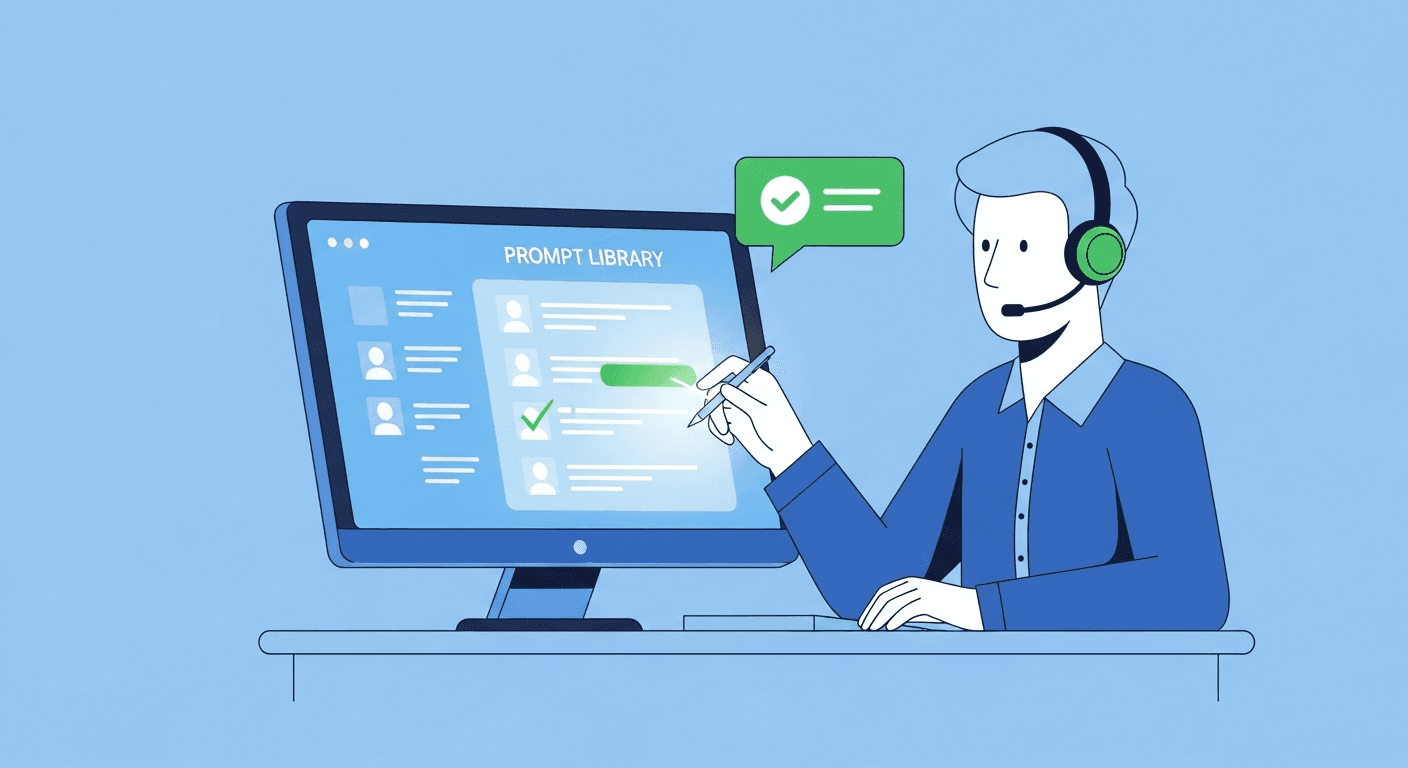
This is the core problem with AI prompts for customer support teams today: the knowledge exists, but it is locked in individual chat histories. Large language models (LLMs) like ChatGPT and Claude are capable of producing genuinely excellent support outputs - but only when given excellent prompts. The fix is a shared prompt library for your team that captures what works and makes it the team's default.
Where Support AI Prompts Currently Live (and Why That Is a Problem)
Ask any support team where their AI prompts are stored. The honest answers:
- "In my ChatGPT history from last September"
- "I have a Notes doc with a few I copy from"
- "I just write something different every time depending on the ticket"
- "Someone shared one in Slack once and I saved it"
This is not a process problem. It is a systems problem. AI prompt knowledge in most support orgs lives in the same places that tribal knowledge has always lived: in individual heads, personal files, and conversation histories that vanish when someone quits, transfers, or simply starts a new chat session.
The consequences are concrete and measurable:
CSAT variance that cannot be explained by skill alone. When two agents with similar experience produce wildly different resolution quality, the prompt quality is usually a significant factor. The agent using a refined, context-rich prompt gets better AI output, drafts a better response, and closes the ticket faster.
Onboarding drag. New agents spend weeks discovering what already works. The veteran's proven de-escalation prompt is not in any training doc. The new hire starts from scratch, gets inconsistent results, and decides that AI is not that useful for support work.
Knowledge loss at attrition. When your best agent leaves, their chat histories disappear entirely. There is no handoff for AI workflows. The institutional knowledge of what actually produces good CSAT walks out the door with them - and the team does not even know what it lost.
No compounding. Each agent's prompt iteration benefits only that agent. The discovery that a specific empathy framing cuts escalation requests by 30% never propagates. The team does not get smarter together.
The Support Use Cases That Most Benefit from Shared Prompts
Not every support workflow gets equal leverage from a shared prompt library. These are the use cases where standardized prompt templates create the most impact:
De-Escalation and Angry Customer Handling
The highest-stakes, most variable use case in support. Every agent handles an angry customer differently. Every agent asks AI to help differently. The result is a spectrum of output quality that directly affects whether the customer stays or churns.
A well-built de-escalation prompt follows a specific structure: acknowledge the frustration explicitly (not generically), validate that the problem is real and understandable, take ownership without admitting liability, and present the resolution path with a concrete next step. When that structure lives in a shared prompt, every agent is starting from the same quality baseline - not reinventing it under pressure during a live ticket.
First-Response Drafting (Ticket Triage)
First-response quality sets the tone for the entire ticket. A prompt built for first responses should instruct the AI to: confirm receipt and show it read the ticket, restate the issue in the customer's own terms, set a realistic expectation for resolution time, and avoid generic phrases that signal the response was templated.
Agents using a strong first-response prompt template close tickets faster because the customer feels heard from the start. That feeling directly reduces follow-up messages on the same ticket, which reduces overall volume.
Knowledge Base Article Drafting
Resolved tickets are one of the best sources of knowledge base content - and almost no support team systematically turns them into articles. The prompt that helps most here takes a resolved ticket thread as input and asks the AI to extract the issue type, root cause, solution steps, and a customer-facing explanation that can be published.
A shared prompt for this workflow means your KB grows as a natural byproduct of daily ticket resolution, without a separate documentation task.
CSAT Follow-Up Emails
The follow-up email after a resolved ticket is often the last impression a customer has of the interaction. When it is warm, specific, and brief, it lifts CSAT scores without any operational change. When it is generic ("Your ticket #12345 has been resolved"), it lands as administrative noise.
A shared CSAT follow-up prompt produces an email that references the specific issue, acknowledges any inconvenience caused, and invites the customer to share feedback. The variable fields make it personal; the prompt logic makes it consistently good.
Refund and Compensation Decision Framing
Refund requests and compensation conversations require agents to hold firm on policy while still making the customer feel treated fairly - one of the harder tonal balancing acts in support. The AI output for this scenario is only as good as the prompt, and the prompt needs to explicitly address: what the policy is, how to frame the limitation without using policy language as a shield, and how to offer an alternative when a full refund is not possible.
A shared prompt for this use case reduces both over-compensation (agents offering more than necessary to avoid conflict) and under-compensation (agents applying policy rigidly in situations that warrant flexibility).
Escalation Summaries for Tier 2 and Tier 3
When a tier 1 agent escalates to tier 2 or tier 3, the handoff quality determines how quickly the receiving agent can resolve the issue. A well-structured escalation summary prompt produces: a concise issue history, actions already taken, customer sentiment, the specific reason for escalation, and a recommended next step.
Without a shared prompt, escalation summaries are whatever the agent has time to write. With one, the receiving agent has everything they need without having to read the full thread or re-ask questions the customer has already answered.
What a Support Prompt Library Looks Like in Practice
The folder structure that works for support teams organizes by workflow type, not by AI tool or agent:
Support Prompts/
├── De-Escalation/
│   ├── angry-customer-first-response
│   ├── repeat-contact-empathy-response
│   ├── escalation-prevention-offer
│   └── executive-complaint-response
├── Ticket-Triage/
│   ├── first-response-general
│   ├── first-response-billing
│   ├── first-response-technical
│   └── first-response-shipping
├── Resolutions/
│   ├── refund-approved-response
│   ├── refund-denied-policy-frame
│   ├── partial-compensation-offer
│   └── account-credit-offer
├── Escalation/
│   ├── tier1-to-tier2-summary
│   ├── tier2-to-tier3-summary
│   └── manager-escalation-brief
├── Knowledge-Base/
│   ├── resolved-ticket-to-kb-article
│   ├── faq-entry-from-common-issue
│   └── release-note-from-bug-fix
└── Follow-Up/
    ├── csat-survey-request
    ├── post-resolution-check-in
    └── churn-save-follow-up
Each prompt uses variable templates so agents fill in the ticket-specific details rather than rewriting the prompt logic each time. A ticket response template looks like this:
You are a {{brand_voice}} customer support agent for {{company_name}}.

Customer name: {{customer_name}}
Issue type: {{issue_type}}
Product area: {{product_area}}
Resolution offered: {{resolution_offered}}
Agent tone: empathetic, clear, solution-focused

Write a response that:
1. Acknowledges {{customer_name}}'s frustration with {{issue_type}} specifically
2. Confirms what action is being taken regarding {{product_area}}
3. States {{resolution_offered}} in plain language
4. Closes with a next step and invite for further questions

Do not use: "I apologize for any inconvenience", "per our policy", or generic closers.
Length: 3-4 short paragraphs.
The prompt logic - the structure, the tone rules, the things to avoid - stays consistent. The agent fills in the variable fields. The system prompt embedded in the library handles everything else.
How Prompt Management Reduces AHT
AHT (average handle time) is one of the most watched metrics in support operations, and it is where prompt management has a direct and quantifiable impact.
The time agents spend on each ticket is largely composed of: reading and diagnosing the issue, drafting a response, and chasing resolution steps. AI assists with the drafting portion - but only efficiently when the prompt is already right. When agents write a new prompt from scratch for each ticket, they spend 60-90 seconds just constructing the AI request, plus another round of editing when the output is not quite right.
When the correct prompt already exists in a shared library and is accessible via a browser extension from inside Zendesk, Intercom, or Freshdesk, the agent fills in the variable fields and runs it in seconds. The AI output is already formatted for the ticket type. The revision cycle is minimal.
The AHT reduction comes from eliminating the prompt construction step and reducing the output editing step. Across a team of 10 agents handling 80 tickets each per day, even a 45-second reduction per ticket adds up to significant capacity recovered per week.
For the broader ROI case on prompt management, see the complete guide to prompt management.
Onboarding: How Prompt Libraries Compress Agent Ramp Time
The typical support onboarding problem: a new agent takes 6-10 weeks to reach full productivity. A significant portion of that ramp time is discovering what works - learning which response framing reduces follow-up messages, which de-escalation language actually defuses tension, which escalation summary format tier 2 actually finds useful.
A shared prompt library compresses that learning curve substantially. On day one, a new agent has access to the team's best de-escalation sequences, the proven refund framing, and the escalation summary template that veteran agents have refined over months.
They do not need to rediscover what the team already knows. They start from the current best practice, not from scratch.
This also means their early CSAT scores look more like a seasoned agent's CSAT scores. They are not penalized during their first 30 days for not having learned the informal prompt knowledge that lives only in experienced agents' heads.
Onboarding as a use case alone justifies building the library. Every agent who ramps 3 weeks faster is a measurable return on the time invested in prompt standardization.
Getting Buy-In from Support Teams
The hardest part of rolling out a support prompt library is not building it - it is addressing the concern that agents often voice (or think but do not say): that standardized AI prompts are the first step toward replacing them.
This concern deserves a direct answer. A prompt library does not make agents interchangeable with AI. It makes agents faster at the routine parts of their job so they can spend more time on the interactions that genuinely require human judgment - the edge cases, the emotionally complex tickets, the long-term customer relationships. The agents who benefit most from prompt libraries are not the ones with the lowest performance; they are the ones who use the time saved to handle more complex work and advance faster.
Two things drive practical adoption beyond addressing this concern:
The library has to be faster than the alternative. If accessing a saved prompt requires switching to a browser tab, navigating a shared doc, and copying - most agents will not do it under ticket queue pressure. A browser extension that surfaces the prompt library from inside ChatGPT, Claude, or the AI sidebar in Zendesk or Intercom removes that friction entirely. Speed drives adoption, not policy.
The first contributions should come from respected agents. Seed the library with prompts from your highest-CSAT performers. When a new agent sees that the de-escalation prompt in the library belongs to the person who consistently hits 96% CSAT, they use it. The library earns credibility from the results of the prompts in it.
Support leads who have successfully launched shared prompt libraries typically tie the rollout to one specific workflow: "Starting this week, every refund response is drafted using this prompt." One forced adoption point creates the habit. After two weeks of using the library for one task, agents voluntarily explore it for others.
For more on building and managing this system, see our guide to building a shared prompt library for your team and the overview of prompt management tools that support this workflow. Teams that have already built sales prompt libraries often find that a parallel support library follows naturally.
Frequently Asked Questions
How should I organize a customer support prompt library?
Organize by workflow type: De-Escalation, Ticket Triage, Resolutions, Escalation, Knowledge Base, and Follow-Up. Within each folder, name prompts by the specific task they handle (not by the agent who wrote them). Tag each prompt with the relevant ticket type, customer sentiment level, and which AI models it performs best in, so agents can filter by context quickly.
Can AI prompts really help with angry customer situations?
Yes - but only when the prompt is built for the scenario. A generic "respond to an angry customer" prompt produces generic output. A de-escalation prompt that specifies the empathy language to use, what to acknowledge explicitly, what policy language to avoid, and how to frame the resolution produces output that agents can use directly or with minor edits. The difference in CSAT between a well-crafted de-escalation prompt and a vague one is significant.
How do you share prompts across a support team without everyone editing them?
Use a prompt management tool with role-based permissions. Team leads or support operations should own prompt creation and updates. Agents should be able to use and suggest prompts, but not edit the canonical versions without approval. This prevents prompt drift - the gradual degradation that happens when anyone can modify a shared document without a review process.
Does AI prompt management work inside Zendesk or Freshdesk?
Not natively - most helpdesk platforms have AI features built in, but they do not give you a shared, team-managed library of custom prompts. The practical solution is a browser extension that surfaces your prompt library from inside any tab, including your helpdesk and whichever AI tool your agents use alongside it. Agents stay in their workflow; the prompt library is one click away.
What is the difference between a system prompt and a prompt template in customer support?
A system prompt sets the persistent context for an AI - who it is, what company it represents, what tone it should use, what it should never say. A prompt template is a reusable task-specific prompt with variable fields that agents fill in per ticket. In a well-structured support library, the system prompt lives at the top of every prompt as a shared header, and the prompt template below it handles the specific task. Agents typically work with the template layer; team leads manage the system prompt.
How do you measure the impact of a support prompt library on CSAT and AHT?
Run a controlled comparison before and after rollout, or between teams using the library versus those not using it. Track: average CSAT score per agent, AHT per ticket type, escalation rate, and first-contact resolution rate. In teams where the prompt library is actively used, you should see AHT reduction within the first two weeks and CSAT improvement within the first month as agents adopt the higher-quality prompts and eliminate the variance caused by ad hoc prompt writing.
Stop Leaving Your Best Responses in One Agent's Chat History
The tools are not the problem. Every support agent already has access to ChatGPT or Claude. The problem is that the prompts that make those tools produce genuinely good support outputs are sitting in individual chat histories, personal Notes apps, and the institutional memory of your highest performers.
A shared customer support prompt library with variable templates, browser extension access, and a clear folder structure converts individual AI experimentation into a team capability. Your best agent's de-escalation discovery becomes the team's default. New agents ramp faster. CSAT variance shrinks. And AHT falls as agents stop reconstructing prompt logic from scratch for every ticket.
PromptAnthology gives customer support teams a shared prompt library with browser extension access from inside ChatGPT and Claude, variable templates for ticket-specific personalization, role-based permissions so leads control the canonical prompts, and version history so you can track what changed and roll back if quality drops. Start your free trial and have your first shared support prompt library live in under 20 minutes.